Draw the garden seat and the outbuilding desk separately
Reliable outdoor Wi-Fi starts with a route, not a promised coverage radius. A patio needs a usable connection between an access point and a phone outside. An office in a detached building also needs a dependable connection back to the house, plus coverage inside its walls. One box on the house may solve the first problem while leaving the second untouched.
Make a sketch showing the house router, garden seating, outbuilding desk, available power and possible cable entries. Mark trees, fences and doors along each path. Write down the actual devices and tasks: a phone playing music, a laptop on calls, or a camera uploading video. Include simultaneous use rather than planning around one idle phone.
For a hypothetical household, the patio is 8 metres from the rear wall and the office is 25 metres away behind a closed metal door. Those distances describe the example; they do not predict reception. The household might need only a garden access point for the patio, but a separate building link and an indoor access point for the office.
Define what must work before choosing equipment
Choose a short acceptance task for each destination. For example, propose a fifteen-minute two-way call from the office with its door closed, while another person streams music on the patio. Require intelligible audio in both directions, no disconnections and a completed document upload. These are suggested checks, not a guarantee that fifteen minutes proves year-round reliability.
First perform the same tasks near the existing house router. If they already fail there, resolve the house connection before buying outdoor equipment. Record device, location, door state, time and what failed. For any speed comparison, use the same service and server where selectable; record upload as well as download.
Cisco distinguishes active surveys from passive listening: associating a client and exchanging traffic reveals information that merely detecting a network misses. For this small project, that means joining Wi-Fi and doing the work at the destination. A visible network name is an invitation to test, not an acceptance result.
Choose how traffic gets back to the house
The return connection is often called backhaul. Select it separately from the Wi-Fi that serves your devices. Use this decision table to identify the layout worth investigating before comparing advertised radio speeds.
| Destination and route | Candidate layout | Decision gate |
|---|---|---|
| Garden with a practical cable route | House LAN to outdoor access point by Ethernet | Can the cable and power arrangement be installed properly? |
| Garden without a cable route | Compatible outdoor mesh node or extender | Does its proposed position have a working house link and garden coverage? |
| Detached office with clear mounting paths | Paired directional bridge radios, then an indoor access point | Can the building link and indoor coverage each pass independently? |
| Detached office with an acceptable cable route | Professionally planned fibre link, then local networking equipment | Are route, termination and power at both ends feasible? |
A wireless extender belongs where it can still reach the house reliably. Putting it beside the failed laptop simply moves the weak return connection into another box. Mesh compatibility also needs confirmation for the exact system; matching brand names alone are insufficient.
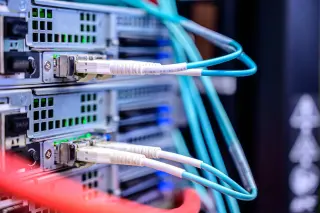
For a permanent cable between separate buildings, request a fibre option in the installation plan. Cisco's media-installation material identifies avoidance of copper ground-protection requirements as a reason for fibre between buildings. This is a cabling principle, not a current pricing source. Fibre still needs suitable endpoints and powered equipment; it does not power the office access point.
For an outbuilding, inspect the space around the radio path
A bridge uses radios aimed at each other to carry the building-to-building connection. Plan a separate indoor access point unless the selected equipment explicitly provides suitable client coverage too. Do not assume a directional bridge will also blanket the lawn.
TP-Link explains two important limits: Wi-Fi communication must work in both directions, and visual line of sight alone does not establish adequate Fresnel-zone clearance. The Fresnel zone is a volume around the direct radio path that also needs clearance. A phone seeing a powerful access point does not prove that its own replies can get back.
On your sketch, mark a hedge beneath the path, branches near proposed mounts and places where vehicles could obstruct it. Ask the bridge supplier or installer to check clearance for the chosen frequency, distance and mounting heights. Avoid inventing a universal height or clearance distance. If the only possible route crosses dense vegetation, investigate a cable route instead of treating higher transmit power as the solution.
Turn the radio idea into an installation plan
Before ordering, record the exact model, hardware revision, operating temperature range, outdoor rating, power method and installation manual. Treat the radio, cable entry, injector and mains supply as separate components. Every component needs a suitable location; a sheltered shelf outside is not automatically suitable for indoor electronics.
The RE705X-Outdoor guide provides a useful documented example: it recommends wired Access Point mode for outdoor use, requires checking the proposed location before mounting, and identifies its passive PoE adapter as indoor-only. It also covers grounding and sealing the cable entry. These are requirements for that model, not instructions transferable to every outdoor device.
Match the power source to the exact equipment documentation. Power over Ethernet can simplify the route, but the presence of an RJ45 socket does not establish electrical compatibility. Include the injector or switch, its power budget, and permitted cable length in your plan. Ask the installer to specify outdoor cable protection, entry sealing and grounding or surge provisions for the complete route. Resolve drilling, buried services and building-entry details before committing to permanent work.
Run a temporary trial with three separate checkpoints
The following trial is an editorial workflow for keeping faults separable. Use safe temporary supports and supervised cables; keep indoor components dry and avoid walkways. Follow the selected model's setup instructions, keeping the house router's working connections recorded.
- Prove setup indoors. Configure the new equipment beside the existing network. Confirm a client can connect and open a fresh website. Failure here means setup, power or compatibility needs attention before distance enters the experiment.
- Prove the return route. Move equipment to the proposed positions without permanent mounting. For a bridge, connect a laptop by Ethernet on the office side if supported and repeat the acceptance task. If that fails, investigate the building link before adding indoor Wi-Fi.
- Prove the destination. Add the intended access point and test at the patio seat or office desk. Close doors and use normal device positions. Repeat with the planned simultaneous traffic. Log interruptions alongside any speed results.
If supported, a temporary distinct Wi-Fi name helps confirm that the client is using the trial access point. Otherwise check the serving access point through documented device information. Prevent a phone's automatic cellular fallback from disguising a failed Wi-Fi test, then restore its normal settings afterward.
Let the failed checkpoint determine the next move
If indoor setup passes but the outdoor return link fails, try another feasible position or route. If a wired office-side test passes while desk Wi-Fi fails, improve local access-point placement rather than realigning a working bridge. If the reference task fails near the house router too, investigate the shared internet connection.
When a trial disrupts the household, power down and disconnect the newly introduced equipment, then restore the recorded connections. Preserve configuration notes instead of factory-resetting everything. Keep an alternative workplace available until the office passes its acceptance task.
After permanent installation, repeat the same checks: the final cable, mounting position and closed covers are part of the finished system. Recheck during normal busy periods and after seasonal vegetation changes. Save a one-page handover with routes, models, power locations, acceptance results and the recovery procedure. Call the plan complete when both the building link and the places people actually use have passed.
Sources, versions & scope
The steps describe the documented controls and expected checks; they are not a claim that every device or software release has been physically tested. Platform and version differences are stated with the procedure.