Start at the money, then read backwards
Before deciding whether an unexpected email looks convincing, finish this sentence: “If I obey, I will…” A message about an invoice might make you transfer money to a different recipient. A security warning might make you disclose a password. That consequence gives you something concrete to verify outside the message.
For a changed supplier payment, leave the payment pending. Call the supplier using the number already held in your established records, or use its previously verified portal. Ask whether the particular invoice and the changed payment instructions are authorised. A number introduced in the new email cannot independently confirm that same email. This follows the FBI’s guidance on verifying payment changes.
Now examine the message. Reading it backwards means starting with the consequence, establishing a verification route, and only then inspecting the language and delivery details. You do not need to prove who sent it before deciding to withhold a consequential action.
The specimen: a supplier’s “final reminder”
The following message is entirely synthetic. The supplier, invoice, deadline, attachment and addresses are invented. The addresses use domains reserved for documentation; there is no live payment link, attachment or QR code to test. Assume the supplier’s previously verified address is [email protected].
From: Harbour Paper Accounts <[email protected]>
Subject: Final reminder: invoice HP-417 before 16:00Hello Morgan,
Your October stationery invoice for $640 is awaiting settlement. Following our banking migration, please disregard the account on your previous invoice and use the replacement details in the attached Invoice-HP-417.pdf.
To avoid an interruption to deliveries, complete payment before 16:00 today. Our accounts telephone line is unavailable during the migration; reply here for confirmation.
You can also scan the payment QR code below to complete secure verification with your work email before paying.
Thank you,
Harbour Paper Accounts
The decisive sentence is “disregard the account on your previous invoice.” It asks you to replace an established payment destination. Knowing that you order stationery, or naming a plausible invoice month, does not establish authority for that change. Even an exact match to a genuine invoice amount would leave the destination unresolved.

The deadline tries to close the verification route
Read the two middle instructions together. One threatens an interruption; the other makes the established telephone route appear unavailable. The proposed substitute, “reply here,” keeps verification inside the sender’s control. The message supplies the demand and then appoints itself the authority that can validate it.
Neither a deadline nor a telephone outage proves fraud. Real suppliers have both. Their combination matters because it pressures the recipient to abandon an existing check. If the known number is unavailable, keep the change pending and use another previously established contact or your purchasing team’s approved escalation route. Ask internally how to handle the delivery risk while verification remains unresolved.
“Did you send an email?” is too broad a question. Ask whether invoice HP-417 exists, whether its payment destination has changed, and how the supplier’s normal process communicates and approves that change. Confirmation that a bill exists cannot authorise every instruction attached to it. At work, a successful supplier callback also does not replace required internal payment approval.
The familiar name is sitting above a different address
“Harbour Paper Accounts” is the display name. In this specimen, the actual sender address ends in example.org, while the established address ends in example.com. Those are different domains. The word “accounts” before the @ symbol provides no connection between them. The discrepancy is useful evidence to raise during independent verification.
Conversely, changing the specimen to the exact established address would not authorise the transfer. The FBI describes attacks that gain access to business communications and use their context to make fraudulent requests persuasive. Familiarity with the conversation therefore cannot settle the payment decision.
For a visible link, Gmail on a computer lets you hover without clicking to inspect its destination. Compare that destination with the wording on the link; a mismatch is a clue. A short link or unfamiliar destination need not be unravelled by visiting it. Return to the known supplier route. Google documents this inspection in its phishing guidance.
The QR code and PDF offer more entrances
The specimen’s QR code sounds like an alternative payment method. Its wording also introduces a second demand: “secure verification with your work email.” An invoice payment now appears to require a work sign-in. Ask the supplier through the established route whether any such process exists before providing credentials or granting access.
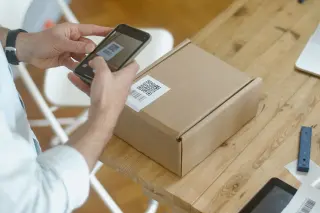
A QR code is not independent corroboration of the email beside it. Both can direct you into the same fabricated process. There is no need to scan this unexpected code to investigate. The FTC’s QR-code advice recommends contacting the company through a known website or telephone number instead of scanning unexpected emailed or texted codes, especially urgent ones.
The attachment’s invoice-like filename answers none of the authority questions either. Leave it unopened while you confirm the task. A PDF can contain persuasive payment instructions even without exploiting software; a believable document still cannot approve its own bank details. If the supplier confirms a genuine invoice is due, obtain it through the established process. The FTC’s phishing guidance also warns that unexpected attachments and links can deliver harmful software.
Use Gmail to inspect delivery evidence
These controls apply to Gmail in a desktop browser. Reach your inbox through your normal bookmark or by typing mail.google.com. You can learn the controls on a harmless message; reporting is reserved for an actual suspect.
- Open the message and click the down arrow below the sender’s name. Inspect the full sender address and the available delivery details. Google identifies Mailed by and Signed by as authentication indicators in its desktop authentication instructions.
- For the full header, use the message’s More menu beside Reply, then Show original. Google’s header instructions say this opens a separate window containing the full header. This is the message menu, not the browser menu.
Authentication concerns the sending infrastructure and domain; it does not approve invoice HP-417. A fraudster can authenticate mail from a domain they control. Google also cautions that unauthenticated messages are not necessarily spam. Neither outcome converts this inspection into a verdict on the payment request.
If these controls are absent in a mobile app or managed account, use desktop Gmail when available or your organisation’s approved reporting route. Header analysis is optional here. Keep headers private: they can contain addresses and routing details. You do not need to paste them into a public forum to justify pausing payment.
Close the request on your own terms
For an actual suspected phishing email in desktop Gmail, open the message, choose More beside Reply, then Report phishing. At work, follow the approved security reporting process, including any evidence-retention instructions. Report the message without replying to its sender or opening its attachment to gather more proof.
If you already interacted, describe exactly what happened. Following a link alone does not establish that credentials were stolen. If you disclosed a Google password or approved unexpected access, use a trusted device to reach Google’s compromised-account guidance promptly: change the exposed password, review security activity and devices, and inspect recovery details and unfamiliar access. Change a reused password on affected services too. If you opened or ran a suspicious file, tell your security team or trusted technical support what occurred.
If you sent money, contact your financial institution immediately through its verified channel and ask about stopping or recalling the transfer; recovery is not guaranteed. Preserve the message for the investigation.
For the synthetic invoice, the useful final record is brief: “Replacement payment details received; no transfer made; supplier confirmation requested through the existing contact record.” That records a decision without pretending to know the attacker, the attachment’s contents or the QR destination. The payment remains pending until the authority for changing it is established.
Sources, versions & scope
The steps describe the documented controls and expected checks; they are not a claim that every device or software release has been physically tested. Platform and version differences are stated with the procedure.
- NIST: Phishing guidance
- FBI: Spoofing and phishing
- Google Gmail: Avoid & report phishing emails
- Google Gmail: Trace an email with its full header
- FBI: Business Email Compromise
- Google Gmail: Check if your Gmail message is authenticated — Computer
- FTC: How To Recognize and Avoid Phishing Scams
- FTC: Scammers hide harmful links in QR codes to steal your information
- Google Account Help: Secure a hacked or compromised Google Account
- IANA: Example Domains